Animated Remarketing Banner Ad Design for Growth Campaign
STEVEN G JAMES, DIRECTOR, FEDERATION DESIGN
How HubSpot Workflow Automation Sent Daily Sales Data to Google Sheets Automatically
A business was manually transferring daily sales into Google Sheets so linked accountant-built spreadsheets could calculate profit and loss. We used a HubSpot workflow to create a new sheet row automatically when a deal reached Closed Won, removing the manual handoff and making the reporting process more dependable.
What HubSpot workflows actually are
HubSpot workflows are often talked about as if they are mainly for marketing emails, lead nurturing or internal reminders. In reality, one of their more useful roles is much simpler than that. They can remove small pieces of repeated operational work that no longer need a person to sit in the middle of the process.
At their most basic, workflows run on a trigger and an action: something happens in the CRM, and HubSpot carries out the next step automatically. That might be an email, a notification, a task, or in this case the creation of a new row in Google Sheets.
The problem was the manual handoff
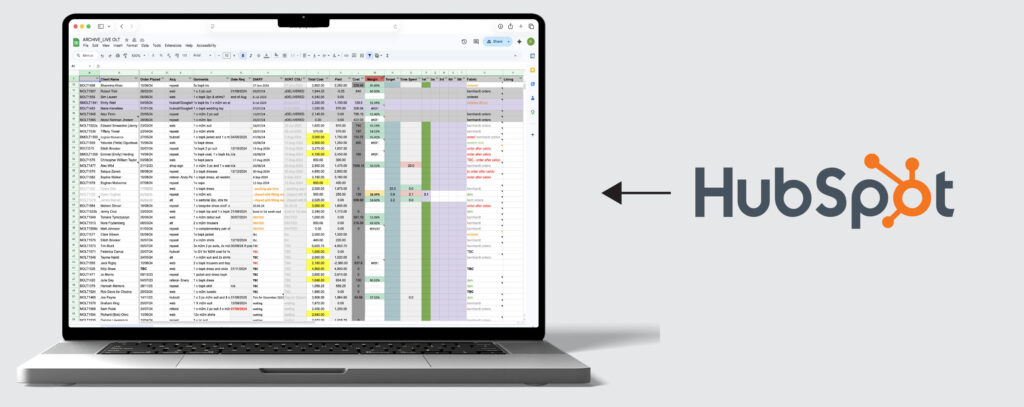
That was the principle behind a workflow we built for one of our tailoring clients in the fashion sector. The business already had a process for recording daily sales data in Google Sheets. Each day, individual sales were transferred manually into a spreadsheet, and that sheet then fed other linked sheets created by the accountant to calculate profit and loss.
At first glance that kind of task can seem too small to matter. It is only a spreadsheet update. But that is usually how a lot of inefficient processes survive. The individual step does not feel dramatic, yet it quietly becomes a daily dependency for reporting, finance and operational visibility. If it is missed, delayed or completed inconsistently, the effect reaches much further than the initial task suggests.
In this case, the aim was not to replace the spreadsheet. The spreadsheet still had a useful role, because it powered other sheets that were already part of the accountant’s reporting structure. The better solution was to remove the manual handoff.
How the workflow solved it
Once a deal in HubSpot reached Closed Won, a workflow fired automatically and created a fresh row in the source Google Sheet. The sale data was passed directly from HubSpot into the spreadsheet, which meant the accountant’s linked reporting sheets could continue working as before, but without someone having to copy the information over manually each day.
What made this useful was not only the feature itself. It was the fact that the workflow stayed focused on one specific friction point. A completed sale already existed as a deal record in HubSpot. That meant the CRM was already the source of the information. The only manual part left in the chain was the transfer of that data into Google Sheets. Once that handoff was automated, the wider process became more dependable.
Why this was a better operational fit
This is often where automation proves its value. It is not always about replacing everything with a newer system. More often, it is about connecting the systems that already exist so information moves between them cleanly.
It would have been possible to treat the spreadsheet as the problem and try to force everything into a different reporting structure. But that would have ignored the fact that the existing setup was already supporting the finance side of the business.
A better outcome came from respecting the existing process while improving the point of failure.
The HubSpot workflow became the bridge between the sales activity and the spreadsheet model. Once the deal moved to the right stage, the data transfer happened automatically. That meant the source sheet stayed updated in real time through the CRM, while the downstream sheets used by the accountant could continue to calculate from that source.
A few things made this automation work reliably
For businesses that are newer to HubSpot workflows, this is also a good example of why simpler automations are often the most reliable. A workflow that tries to do too much too early can become harder to understand and harder to maintain.
That was part of the strength here. The logic stayed tight. When the deal became Closed Won, HubSpot added a new row to the spreadsheet. That is a much easier workflow to trust than one with multiple branches, overlapping conditions and unnecessary actions.
The spreadsheet structure mattered as well. The source sheet needed to be clearly organised so data could be passed into it consistently and then used by the accountant’s linked reporting sheets without disruption. That kind of clarity is easy to overlook, but it is often the difference between an automation that feels dependable and one that creates a new kind of admin.
The result was simple, but important
In practice, the result was straightforward. The business no longer needed to rely on a manual daily transfer of sales data into Google Sheets. As soon as the deal reached the correct stage in HubSpot, the row was created automatically.
The visible outcome was simple, but the wider benefit was broader than that. It reduced administration, lowered the risk of omissions and made the reporting chain behind the spreadsheet more dependable.
For a fashion and tailoring business, that may sound like an operational improvement rather than a brand one, but the two are rarely separate. Premium service businesses rely on consistency, and that consistency is not only visual. It also comes from how smoothly the business works behind the scenes.
Other ways HubSpot workflows save time
One useful thing about workflows like this is that they usually prompt wider thinking. Once a business sees one repeated task successfully automated, it becomes easier to spot other areas where the same logic might apply.
That could be internal alerts when leads hit a certain score, reminders around renewals, lifecycle stage updates, deal-stage progression, lead routing or notifications to the right person when a new opportunity appears. The value tends to come from removing small pieces of manual coordination from day-to-day work.
That matters because a lot of business inefficiency is not caused by one major flaw. It comes from small repeated tasks that depend on memory, timing and manual consistency. A spreadsheet handoff is one example. Lead assignment is another. Stage updates are another.
Keeping the data visible inside HubSpot
There is another useful extension to this setup as well. Once data is being pushed into Google Sheets automatically, it does not necessarily have to remain something users only view in a separate tab. HubSpot also supports embedding external content on dashboards, including Google-based content, so supporting spreadsheet information can sit alongside reports inside the same HubSpot environment. In practical terms, that can reduce the need for users to keep switching between systems just to check operational context. The time saving does not only come from automating the data entry. It can also come from reducing the amount of platform-hopping needed afterwards.
A better system does not always mean a newer one
That broader point is probably the most important one. A better system does not always mean replacing the old one. Sometimes it means deciding where the data should originate, where it still needs to end up, and how to remove the manual handoff in between.
In this case, HubSpot became the source of the sales event, Google Sheets remained the input layer for the accountant’s reporting logic, and the workflow handled the transfer automatically.
That is often where CRM automation becomes most valuable. Not in abstract promises of efficiency, but in the small recurring tasks that quietly shape how dependable a business is day to day.